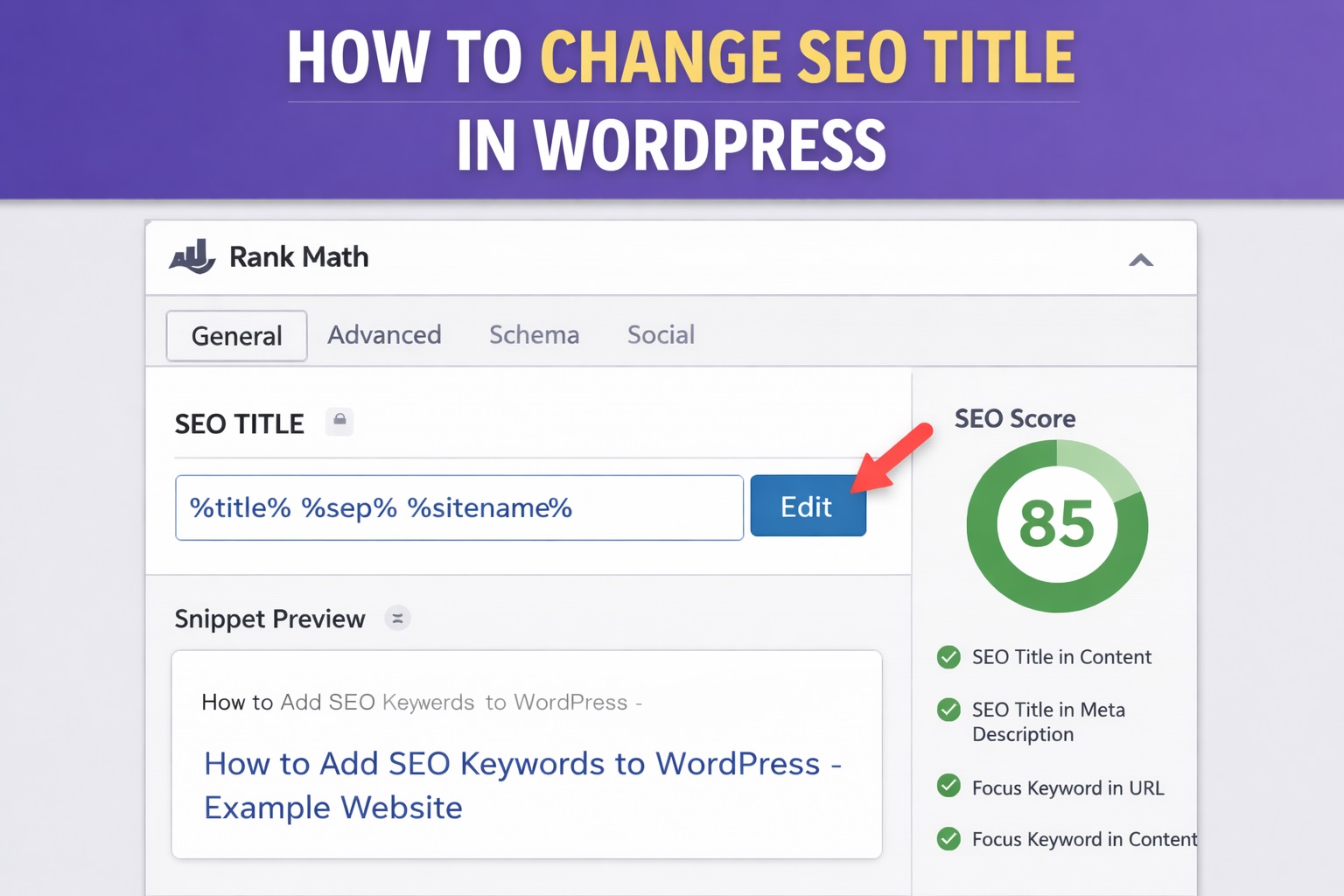
Your page title might look fine on your website, but it’s the SEO title that search engines like Google use to display your page in search results. A clear and optimized SEO title can directly impact how often users click on your link—and how high it ranks.
Thankfully, if you’re using Rank Math, changing your SEO titles in WordPress is easy. Whether you’re editing a blog post, page, or product, Rank Math gives you full control over how your titles appear in search engines without affecting the title visitors see on your site.
In this guide, you’ll learn how to edit SEO titles in WordPress quickly and correctly using Rank Math.
What Is an SEO Title in WordPress?
The SEO title is the title that appears in search engine results, not necessarily the one shown on your website’s page. While your post or page title may be clear for your readers, the SEO title is written specifically to attract clicks and improve search rankings.
🔹 Key Differences:
- Page/Post Title: Visible on your actual website, usually as an H1 heading.
- SEO Title: Shown in Google search results, social previews, and browser tabs. Editable through Rank Math.
Example:
Your post title might be:
“How I Built My First Blog”
But your SEO title could be:
“How to Start a Blog in 2024 – Beginner’s Guide”
Rank Math separates these two so you can keep your site readable for visitors while writing optimized titles for search engines.
How to Edit SEO Titles Using Rank Math
Editing the SEO title of any post or page in WordPress with Rank Math is straightforward. Here’s how to do it step by step:
🔹 1. Open the Post or Page in the Editor
Go to your WordPress dashboard and navigate to Posts or Pages, then select the content you want to optimize.
🔹 2. Scroll Down to the Rank Math SEO Panel
Once in the editor, scroll down to find the Rank Math section. This is usually located below the content editor or in the sidebar (if using the block editor).
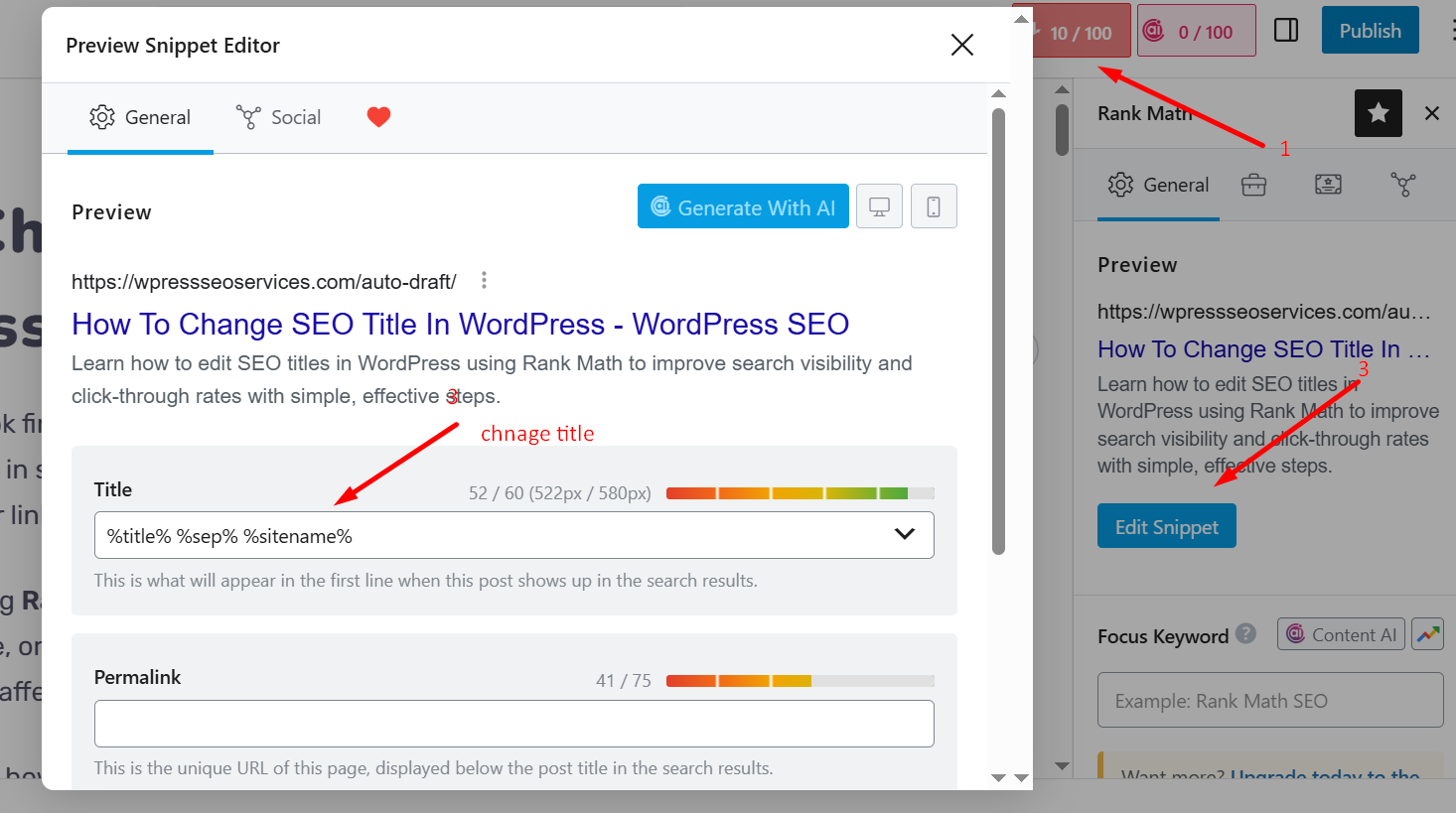
🔹 3. Click the “Edit Snippet” Button
In the Rank Math section, click the “Edit Snippet” button. This opens a panel where you can edit the SEO Title, Permalink, and Meta Description.
🔹 4. Enter Your Custom SEO Title
Inside the SEO Title field, you can:
- Type a completely custom title, or
- Use dynamic variables (like %title%, %sitename%) that auto-fill content dynamically.
Rank Math provides a real-time Google preview so you can see how your title will appear in search results.
🔹 5. Save or Update Your Post
After editing the SEO title, click Update to save your changes.
Your page will now show the new SEO title to search engines, without changing the visible title on your actual page.
Global SEO Title Settings in Rank Math (Optional)
If you want to apply consistent SEO title formats across your entire site—like for all blog posts, pages, or product categories—Rank Math lets you set global defaults.
🔹 1. Go to Rank Math Settings
From your WordPress dashboard, navigate to:
Rank Math > Titles & Meta
🔹 2. Choose a Content Type
You’ll see tabs for different content types, such as:
- Posts
- Pages
- Categories
- Products (if using WooCommerce)
Click on the content type you want to edit.
🔹 3. Edit the Title Format
Each section has a field labeled “Title”. Here you can define how titles should be generated site-wide using variables.
Example Template:%title% | %sitename%
This format would output:
“Edit SEO Titles in WordPress Easily with Rank Math | MySite”
You can adjust these templates to add keywords, branding, or formatting automatically.
🔹 4. Save Changes
After updating your global settings, click Save Changes. These templates will now apply to all new posts unless manually overwritten.
📝 Tip: Use global settings for consistency, but always review individual high-priority pages and manually tweak their SEO titles if needed for better performance.
Best Practices for Writing SEO Titles
Editing your SEO titles is only effective if the titles themselves are well-written. A strong SEO title improves your chances of ranking and encourages users to click. Here are some proven best practices:
🔹 1. Place the Focus Keyword Near the Beginning
Search engines give more weight to the first few words. Start your SEO title with your primary keyword when possible.
Example:
✅ Edit SEO Titles in WordPress Easily with Rank Math
❌ Rank Math Helps You Easily Edit WordPress SEO Titles
🔹 2. Keep It Within 60 Characters
Google typically displays only the first 50–60 characters of a title. If your title is too long, it may get cut off in search results.
Use Rank Math’s preview to stay within the limit.
🔹 3. Make It Click-Worthy
Beyond keywords, your title should spark interest or solve a problem. Use action words or clear value.
Examples:
- Step-by-Step Guide
- Beginner-Friendly
- Fast & Easy Tips
🔹 4. Avoid Keyword Stuffing
Don’t overload your SEO title with multiple keywords. This looks spammy and reduces readability. One main keyword and a variation is enough.
🔹 5. Use Branding (When Relevant)
For trusted sites, adding your brand name at the end can improve click-throughs and recognition.
Example:
Edit SEO Titles in WordPress Easily | YourBrandName
Conclusion
Editing SEO titles in WordPress is a simple yet powerful way to improve how your content performs in search engines. With Rank Math, the process is streamlined—whether you’re updating titles for individual posts or setting global templates across your site.
By understanding the difference between post titles and SEO titles, using Rank Math’s snippet editor, and applying best practices like keyword placement and character limits, you can create titles that both rank well and encourage clicks.
Smart title optimization doesn’t take much time, but it can lead to better visibility, more traffic, and stronger engagement.
Learn more about WordPress SEO Services.